




Evolution
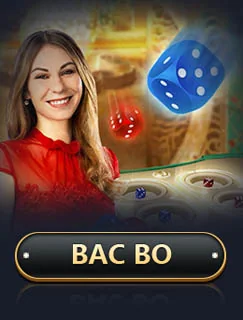
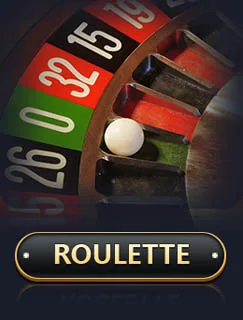
Live-dealer baccarat, roulette and game-show formats. Studio-led production, multi-camera angles and side-bet depth. The largest single provider directory on the apps index.
Browse the RS9 brand app alongside related Android apps in the broader games catalogue. Filter by provider, search by name, and open any row to read its product profile.
Filter by provider or search by name. Each row links to the product profile.
The apps index is the public catalogue for the RS9 brand app. Every row is keyed by an immutable game ID and uses the approved /assets/img/game-pool/ artwork; nothing on the public surface is regenerated or redrawn for a row. Rows link to the games catalogue hub, where each title opens a stable product profile rather than a marketing landing page.
The provider tabs and the search field work together. Pick a provider to narrow the visible rows; type a partial name, category or provider label to filter further. The count chip at the top of the section reflects the live filter result, not the total catalogue size.
Per-game detail pages are not part of the public surface. The operator exposes the same catalogue inside the Android app, where each title opens a deeper product profile. The apps index stays the discovery layer for the brand profile - it points at the in-app product surface, never replaces it.
A short reference read on the eight providers whose artwork lives in the apps index.
Live-dealer baccarat, roulette and game-show formats. Studio-led production, multi-camera angles and side-bet depth. The largest single provider directory on the apps index.
Asian-market slots, fishing and arcade titles. Cricket-themed and Teen Patti-flavored content sits here. Often paired with Evolution in cross-provider lobbies.
Mobile-first slot portfolio with portrait-friendly art direction. Higher-volatility math models and feature-rich bonus rounds dominate this directory.
Multiplier-led slots and Drops and Wins prize mechanics. Titles like Gates of Olympus and Sweet Bonanza typically anchor the Pragmatic Play directory.
Asian-themed slot portfolio with classic fruit and Hold and Spin mechanics. Smaller catalogue than the headline providers but visible across lobby filter chips.
Crash, fishing and wheel-style formats. The directory where shorter-round and arcade-feel content tends to land.
Table games - blackjack and roulette. A focused catalogue that complements the live-dealer directories rather than competing with them.
Provably-fair formats - crash and dice. The smallest directory and the easiest to filter out for readers who prefer provider-led content.
The app-row controls are a view over the data attributes. The attributes are the source; the controls are the surface.

The filter by category control reads data-hot-category. Selecting fantasy, rummy, slots, live-dealer, crash or sports narrows the visible rows to the ones carrying the matching value. The filter persists across page reloads only where the URL fragment carries the filter value.
The sort by intent control reads data-hot-intent. Selecting play, install or learn-more reorders the visible rows by intent priority. The default order is featured-first, then by the data-hot-row position key.
The search control matches against the row name and the row description. The match is case-insensitive and partial. The search input does not match the data attributes themselves; the data attributes drive filter and sort, not search.
The reset control clears the filter, the sort and the search. After a reset, all rows are visible in the default order. Reset does not modify the data attributes; reset clears the active view.
The active filter, sort and search are reflected in the URL fragment. Sharing the URL with the fragment carries the same view across sessions and devices. URLs without fragments show the default view.
Where a combination of filter, sort and search produces no matches, the empty state lists the active controls and offers a one-click reset back to the default view.
The controls do not edit the data attributes. The controls do not change the row count. The controls do not add or remove rows from the data source. The controls are a read view, not a write view.
Every app-row card carries six elements. The composition is the same on every card.
The artwork is the card's image. The image carries class="hot-art" data-hot-art with the published_path value from the yono-pool or game-pool asset.
The title is the row's name. The title is the primary search target.
The category label is the data-hot-category value as text. The label drives the filter's category filter display.
The intent label is the data-hot-intent value as text. The label drives the sort by intent display.
The featured badge marks data-hot-featured rows. Featured rows appear at the top of the rail.
The position key is the data-hot-row value. The order is decided by the position key combined with the featured flag.
The hot-shelves rail is a [data-hot-apps] container. Each row inside is an anchor with class="hot-row" and the four data attributes.
The [data-hot-apps] container holds the rows. The container is the rail's surface; the rows are the rail's payload. The container is positioned below the brand identity block on the homepage and below the brand-profile intro on the apps hub.
Each row inside the container is an with [data-hot-row] data-hot-category data-hot-intent data-hot-featured. The anchor's href points to the in-app destination. The href does not open a third-party tracker.
The artwork inside each row is an with the published_path value from the minimax-published-manifest. The artwork's width and height are explicit. The artwork uses loading="lazy" decoding="async" where the row is below the fold.
Featured rows rotate on the rail. The rotation order is featured rows first, then by data-hot-row position key. Rotation is driven by the data attributes, not by the visual order in the source.
The games hub splits the games category by provider. The features hub explains the cross-cutting features. The install route is the verified first-party destination.
The app row UX has more to offer than the filter and search surface. Five notes for readers who look below the fold.
The row order is decided by the data-hot-row position key, not by the visual order in the source. Audit tools that read the source and compare against the live render must consult the data attributes, not the source order.
The featured rotation is part of the data contract. A row that drops the data-hot-featured attribute drops out of the rotation on the next render. Editors should think of the featured flag as a state, not a comment.
Each artwork carries data-hot-art with the published_path value from the minimax-published-manifest. Where the path does not resolve, the artwork falls back to the brand placeholder image. Verify the path resolves before publishing the row.
The filter, sort and search state is reflected in the URL fragment. The state is preserved across reloads when the fragment is preserved. Bookmarks to a filtered view carry the same view across devices.
Each row anchor opens the in-app destination for the named row. The anchor does not open a third-party tracker. The href points to the brand-app destination and carries the same rel and data attributes as the primary install CTA.
Answers about the filter, the search and the row order.
The row order is decided by the data-hot-row position key combined with the data-hot-featured flag. Featured rows appear first; non-featured rows fill below by position key. The rotation is rendered on each load.
Yes. The active filter, sort and search are reflected in the URL fragment. Share the URL with the fragment to share the same view.
The empty state shows the active controls and a one-click reset back to the default view.
The filter reads the data attributes directly. If a row is hidden, the filter value does not match the data attribute. Re-check the filter dropdown; the categories are fantasy, rummy, slots, live-dealer, crash and sports.